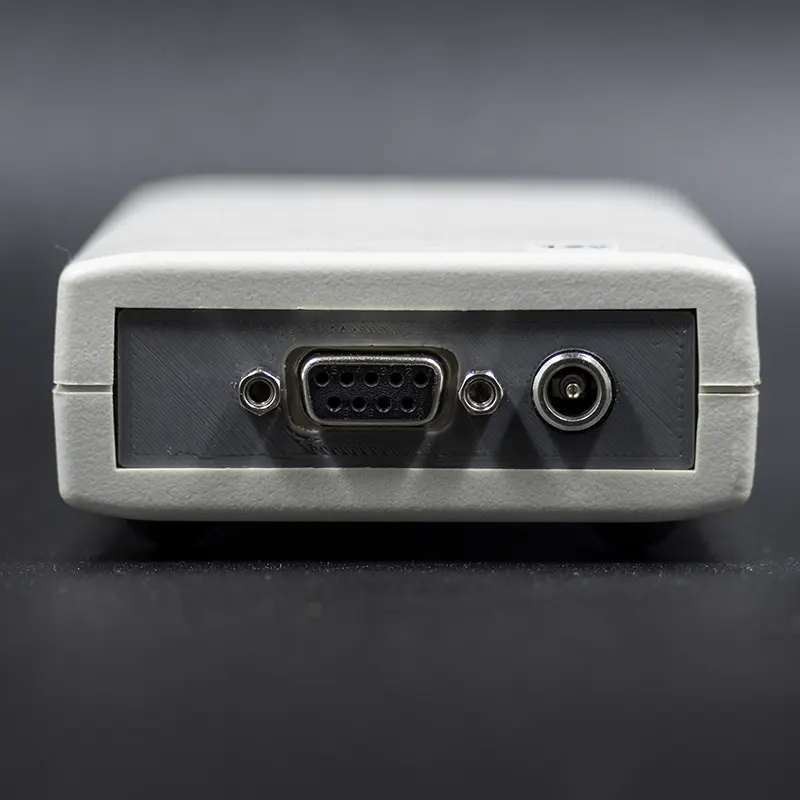
Description
What is the WAC07 Serial Data Logger?
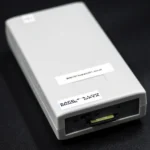
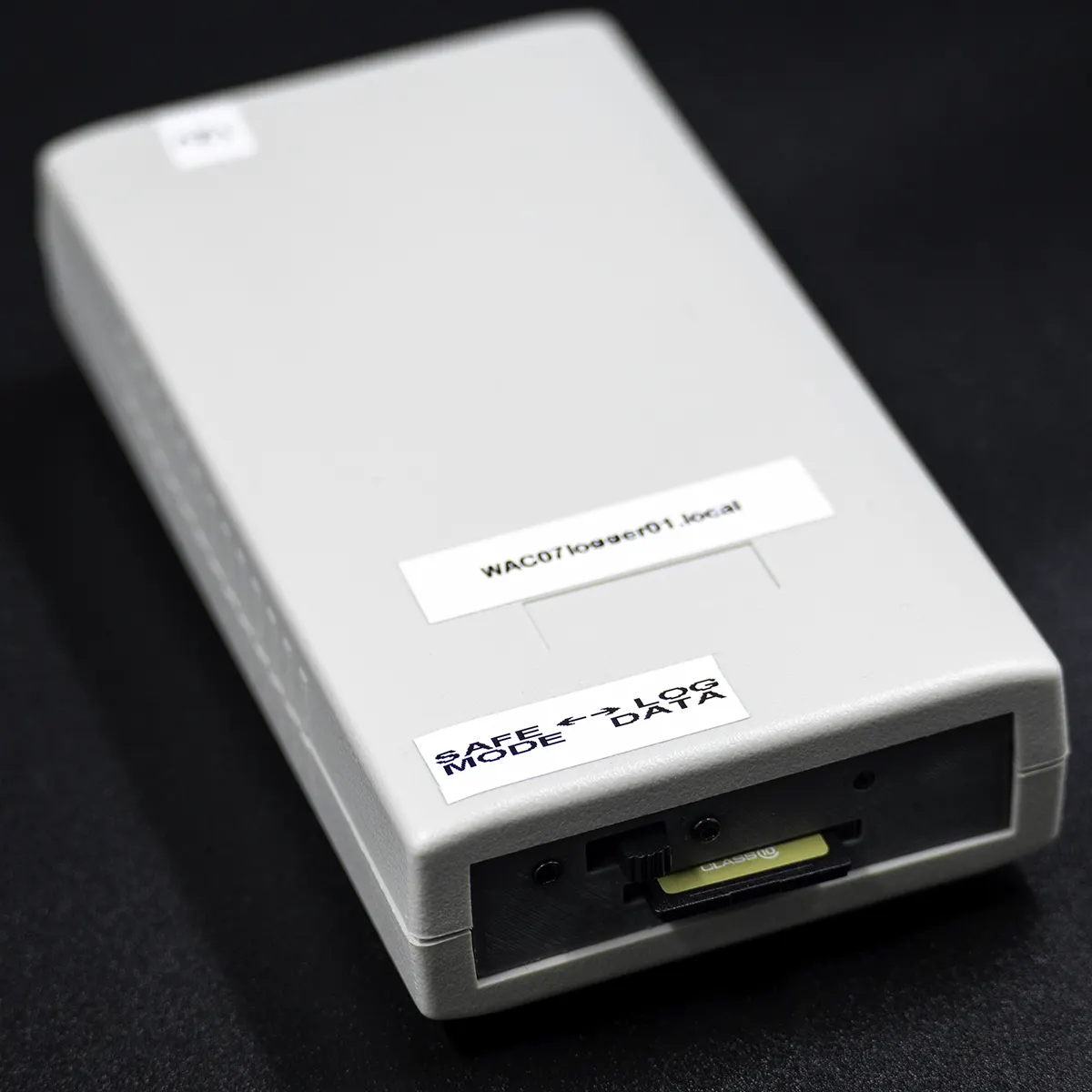
The WAC07 Serial Data Logger is a dedicated hardware device that connects directly to the WAC07 nurse call controller and records every serial event the controller generates. Each event is stored to a micro-SD card with an internet-synchronised UTC timestamp, producing a date-stamped log file for every day of operation. Logs can be viewed and downloaded through a built-in browser-based interface from any device on the same Wi-Fi network. Once installed, the logger runs continuously without any routine user interaction. It is part of the Safe-Life nurse call systems range.
How does the WAC07 Serial Data Logger capture and store events?
- Connect the serial cable. A male-to-male DB9 null-modem cable connects the WAC07 controller’s RS232 serial output to the logger’s serial port. The cable is included.
- Insert the SD card. The included FAT32-formatted micro-SD card is inserted into the card slot. At approximately 60 KB per day, a 16 GB card provides effectively unlimited long-term storage under normal usage.
- Connect power. In most installations, the logger is powered directly from the WAC07 controller’s 12 V and GND terminals. If a separate supply is required, use a regulated 12 V DC adaptor with a 2.1 mm centre-positive connector. The device boots automatically on power-up.
- Configure Wi-Fi. On first startup, the logger creates a temporary Wi-Fi hotspot named WAC07loggerXX. Connect a phone or computer to this network, open the configuration page at WAC07loggerXX.local, and enter your local Wi-Fi credentials. The logger reconnects automatically on all future boots.
- Access logs via browser. Once on the same network, open a browser and go to http://WAC07loggerXX.local. Select a time zone and choose a daily log file to view or download. Timestamps are stored in UTC and converted to local time on display.
Who needs a serial data logger for their nurse call system?
- Aged care facilities that need a permanent audit trail of nurse call controller activity
- Hospital maintenance and biomedical teams troubleshooting WAC07 system events
- Facility managers who need to review historical alarm or call activity after an incident
- Technicians commissioning or monitoring a WAC07 nurse call installation
- Compliance teams requiring documented records of system events over time
What is included with the WAC07 Serial Data Logger?
- 1 × WAC07 Serial Data Logger unit
- 1 × DB9 null-modem cable
- 1 × Micro-SD card (FAT32 formatted)
- 1 × Quick Installation Guide
Note: A separate power supply is not included. In most installations, the logger is powered directly from the WAC07 controller’s 12 V and GND terminals. If your installation requires a separate supply, use a regulated 12 V DC adaptor with a 2.1 mm centre-positive connector.
WAC07 Serial Data Logger — technical specifications
| Feature | Specification |
|---|---|
| Power input | 12 V DC, 500 mA |
| Power connector | 2.1 mm centre-positive barrel |
| Microcontroller | ESP32 |
| Serial interface | RS232 DB9 |
| Baud rate | 38400 |
| Storage media | Micro-SD, FAT32 format |
| Supported SD card capacity | 8 GB – 32 GB |
| Typical storage usage | ~60 KB per day (~1,000 events) |
| Network | 2.4 GHz Wi-Fi |
| Log file format | Daily .txt files (YYYY-MM-DD.txt) |
| Timestamp standard | UTC (NTP-synchronised) |
| Web interface access | Browser via local network (mDNS / IP address) |
| Intended operation | Continuous 24/7, unattended |
| SD card maintenance interval | Inspect annually; replace every 3–5 years in high-use systems |
| SKU | N-CALL-LOGGER |
What systems is the WAC07 Serial Data Logger compatible with?
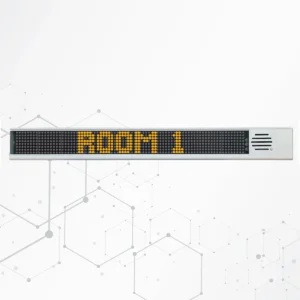
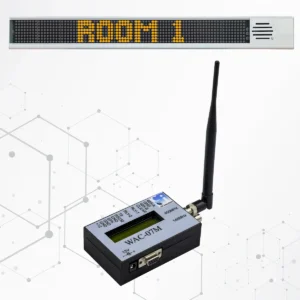
The WAC07 Serial Data Logger is designed specifically to work with the WAC07 Annunciator Display with Wireless Annunciator Controller. It connects via an RS232 DB9 serial interface using the included male-to-male null-modem cable.
- Compatible controller: WAC07 Annunciator Display with Wireless Annunciator Controller (RS232 serial output)
- Serial connection: RS232 DB9 null-modem cable (male-to-male) — included
- Network: 2.4 GHz Wi-Fi router required for web interface access
- Storage: FAT32 micro-SD card, 8 GB – 32 GB — included
- Web access: Any browser-capable device on the same local network. Some systems may require Bonjour / mDNS support for automatic hostname discovery.
- Time zones supported: Australia (all states and territories), New Zealand, UTC
For the full nurse call system range, visit the Safe-Life nurse call systems category.
Why choose the Safe-Life WAC07 Serial Data Logger?
- Designed to work directly with the WAC07 Annunciator Controller — no additional configuration software required
- Logs stored locally on SD card and accessible from any browser on the same network
- Internet-synchronised UTC timestamps ensure accurate records across daylight-saving changes
- Safe SD card removal mode prevents data corruption during card changes
- Power-loss recovery resumes logging automatically when power is restored
- Designed for continuous 24/7 unattended operation in aged care and hospital environments
- Supported locally by Safe-Life Australia — phone and email support available
Frequently Asked Questions — WAC07 Serial Data Logger
What does the WAC07 Serial Data Logger do?
The WAC07 Serial Data Logger captures and stores all serial output from the WAC07 nurse call controller to a micro-SD card. Each event is recorded with an internet-synchronised timestamp, and logs can be accessed through a built-in browser interface from any device on the same Wi-Fi network. It is designed for continuous unattended operation in aged care and hospital environments.
Which controller is the WAC07 Serial Data Logger designed to work with?
The logger is designed specifically for use with the WAC07 Annunciator Display with Wireless Annunciator Controller. It connects via an RS232 DB9 null-modem cable to the controller’s serial output port. It has not been tested with other controllers.
How do I access the log files?
Once the logger is connected to your local Wi-Fi network, open a browser on any device on the same network and go to http://WAC07loggerXX.local, where XX is the number displayed on your unit. From there you can select a time zone, view daily log files, and download them as .txt files. If the hostname does not resolve, locate the device’s IP address through your router instead.
What SD card does the WAC07 Serial Data Logger require?
The logger requires a FAT32-formatted micro-SD card between 8 GB and 32 GB. A compatible card is included. At approximately 60 KB per day under typical usage, storage capacity is not expected to be a limiting factor. SD cards should be inspected annually and replaced every 3–5 years in high-use systems.
Can I remove the SD card without risking data loss?
Yes. Switch the toggle to SAFE MODE and wait 2–3 seconds for the status LED to turn solid. Once solid, it is safe to remove the card. Never remove the card while the LED is slow-blinking, as this indicates active logging. To resume logging, reinsert the card and switch back to LOG DATA.
What do the LED status indicators mean?
Slow blinking means the logger is actively recording — this is normal operation. Solid ON means SAFE MODE is active and the SD card can be safely removed. Fast flashing indicates an SD card error, such as the card being absent, incorrectly formatted, or failed.
What happens to the logger if power is lost?
The logger uses a safe write process for each log entry to minimise the risk of SD card corruption during unexpected power loss. When power is restored, the logger boots automatically and resumes logging without manual intervention. For best results, use a stable regulated power supply.
Are log timestamps accurate across daylight saving?
Yes. Logs are stored internally in UTC, synchronised via Network Time Protocol (NTP). When viewed through the web interface, timestamps are converted to your selected local time zone. This keeps records consistent regardless of daylight-saving changes. Note that early morning local events may appear in the previous day’s log file due to the UTC offset.
Does the logger need to be reconfigured after a power cycle?
No. Once Wi-Fi credentials are entered during initial setup, the logger reconnects to the same network automatically on every subsequent boot. No user interaction is required for normal ongoing operation after installation.
Where can I get support for the WAC07 Serial Data Logger in Australia?
The WAC07 Serial Data Logger is supported locally by Safe-Life Australia (Alerting Devices PTY LTD). Contact the team by phone on 03 9588 0392 or by email at ua.moc.efilefas@selas.